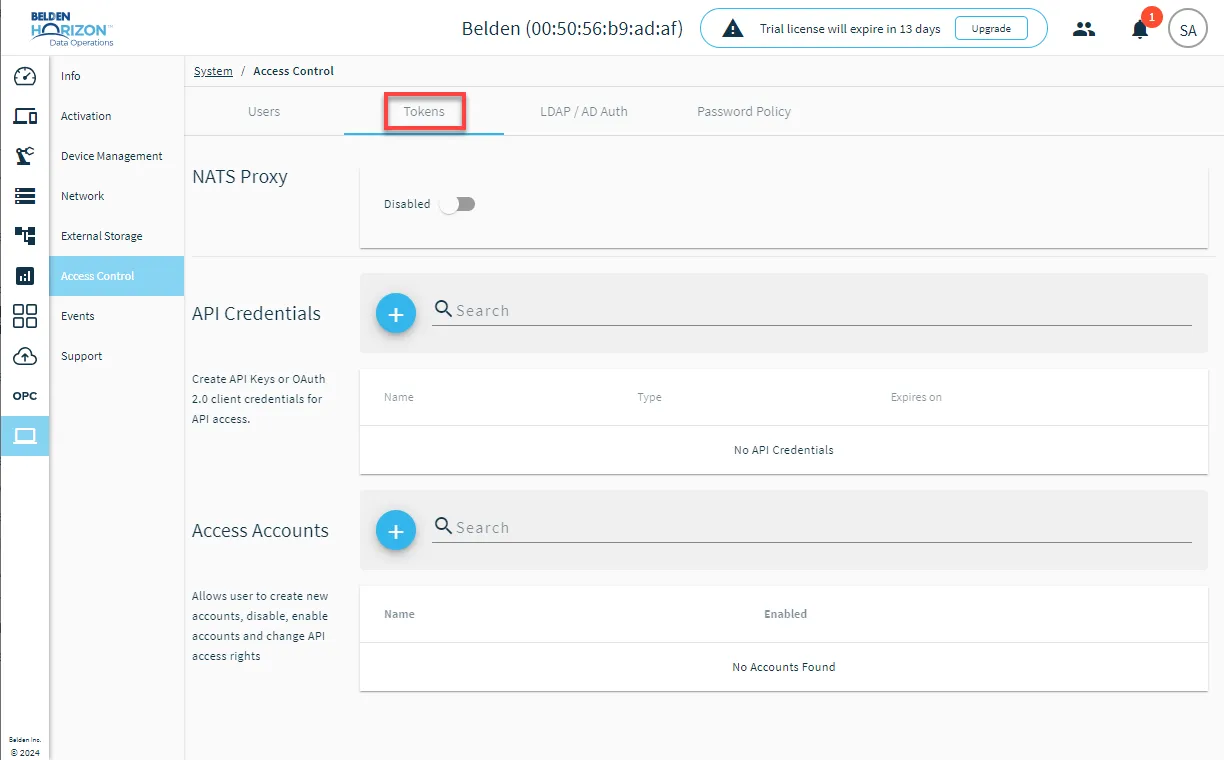
Tokens
On the Tokens pane you can create and manage NATS Proxy, REST API keys, and API access accounts.
NATS Proxy
NATS Proxy allows you to set up a data connection with multiple Belden Horizon Data Operations instances. It also allows a data connection with a Belden Horizon Data Operations instance and another developer application.
NATS Proxy Use Cases
Consider the following use cases for using NATS Proxy:
- Set up a connection with two Belden Horizon Data Operations instances. Data in one instance will be sent through a NATS connector, which allows the data to be received and visualized in the other instance.
- Set up a connection with three or more Belden Horizon Data Operations instances. Data in one instance will be sent through a NATS connector, which allows the data to be received and visualized in multiple other instances.
- Set up a connection with one Belden Horizon Data Operations instance and an external developer application. Data in the instance will be sent through a NATS connector, and the developer application is properly set up as a NATS client to subscribe to NATS data and receive it.
Learn how to Set Up Edge Cascading with the NATS Connector.
API Credentials
This section allows users to create, edit, remove and validate API credentials for API access.
You have the option to create an API Key or OAuth 2.0 client credentials.
To make requests and updates using a REST API endpoint, you need to use curl from the command line or a GUI-based software like Postman. See Test REST API using Postman or Curl.
Access Accounts
This section allows users to create new accounts, enable or disable accounts and modify topics, view the API key, reset the account and remove the account.
Access Tokens UI
From the Belden Horizon Data Operations navigation menu, navigate to System > Access Control > Tokens.