Set a License Server
2 min
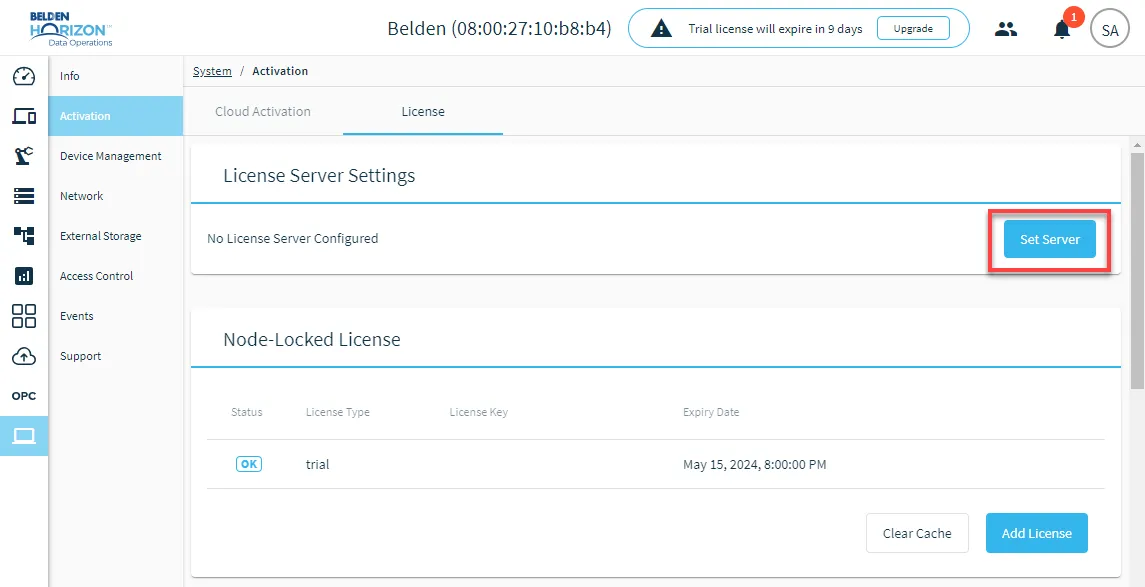
You can set a license server for your instance of Belden Horizon Data Operations by navigating to System > Activation > License.
Once you set the license server, you have access to the site license.
Before You Begin
Obtain the License Server Configuration key from your account executive.
Set License Server
To set a license server:
- Navigate to System > Activation.
- Click the License tab.
From the License Server Settings section, click Set Server. The Set License Server Configuration dialog box appears.
- In the Configuration field, paste or enter the License Server Configuration key obtained from your account executive.
- Click Save. The license server is set for your instance of Belden Horizon Data Operations.